

Migration monitoring
Watch your most important URLs through a site migration
A redesign or a platform move changes a lot at once. SEO Change Guard watches the pages you can’t afford to lose, and tells you when one of them breaks and when it is fixed.

What goes wrong in a migration
- An old URL returns 404 because its redirect was missed.
- A redirect sends a page somewhere it shouldn’t go.
- Staging settings go live:
noindex, a blockingrobots.txt, or canonicals that point at the staging host. - Titles, headings and structured data get lost in the new templates.
- The sitemap disappears, or drops pages you care about.
How to use it for a migration
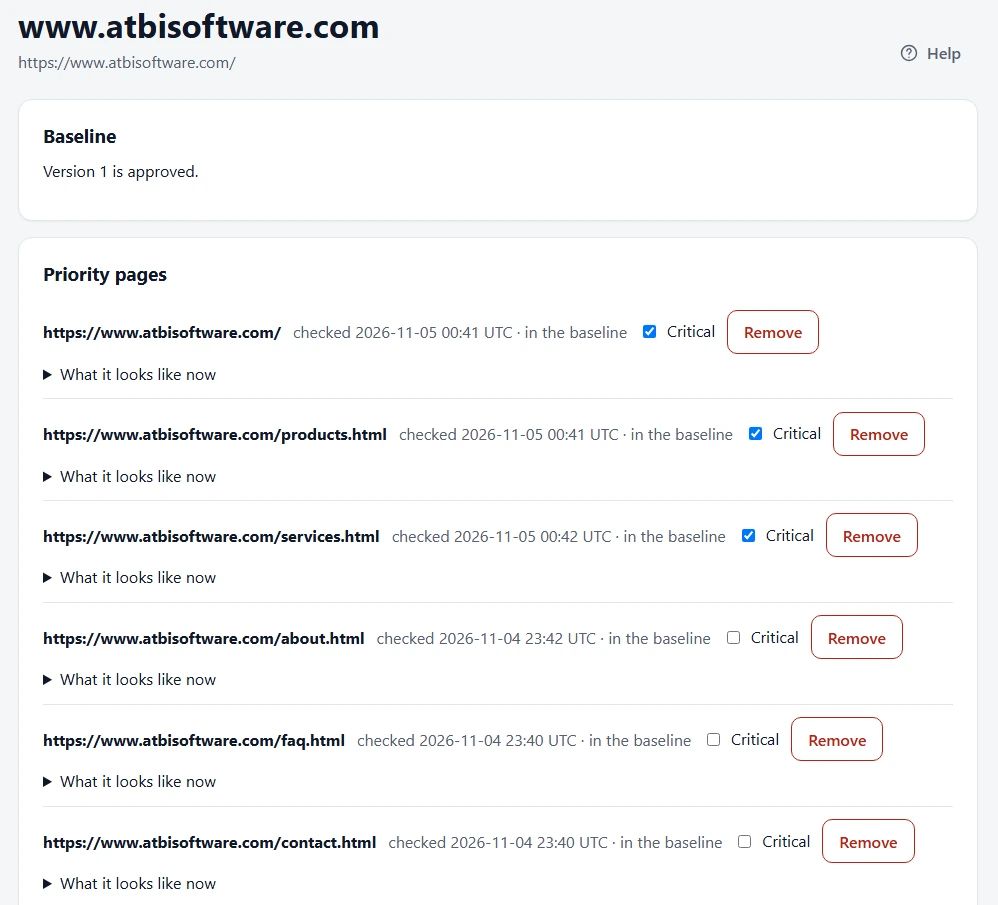
- Before the move: add your site, choose your priority pages, mark up to 5 per site as critical, and approve the baseline.
- During the move: add the deploy hook, so each release triggers a check.
- After the move: work through the incidents. Fix what’s wrong, and accept what you meant to change as your new baseline.
A migration changes things on purpose, so expect alerts for intended changes too. Each one needs a decision only once.
What you get
- Changes from one deploy grouped into one incident per kind of change, with every affected page listed.
- The value before and after for each page, and the deploy or time window it appeared in.
- A recovery notice when a page is fixed.
- An incident history you can refer back to: 14 days on Free, 1 year on Solo and 2 years on Pro and Agency.
Set your baseline before you move
The Free plan covers 1 site and 10 priority pages, checked daily. Paid plans cover 100 to 2,500 priority pages, depending on the plan, and check more often.
Frequently asked questions
Does it crawl the whole site or map old URLs to new ones?
No. It watches the priority pages you choose. It doesn’t crawl the whole site or plan your redirects.
What if the site is down for a while during the move?
When at least half of your priority pages are unavailable, that is raised to Critical as a single problem. A brief error found by a scheduled check is re-checked before any alert is sent.