

noindex monitoring
Catch a stray noindex right after the deploy
A noindex left over from staging can take a page out of search without changing how it looks. SEO Change Guard checks your priority pages after each release and names the commit that added it.

The problem
The tag is one line in a template, or one header in a server setting. A visitor sees the same page as before, so a release can pass every manual check and still drop the page from search.
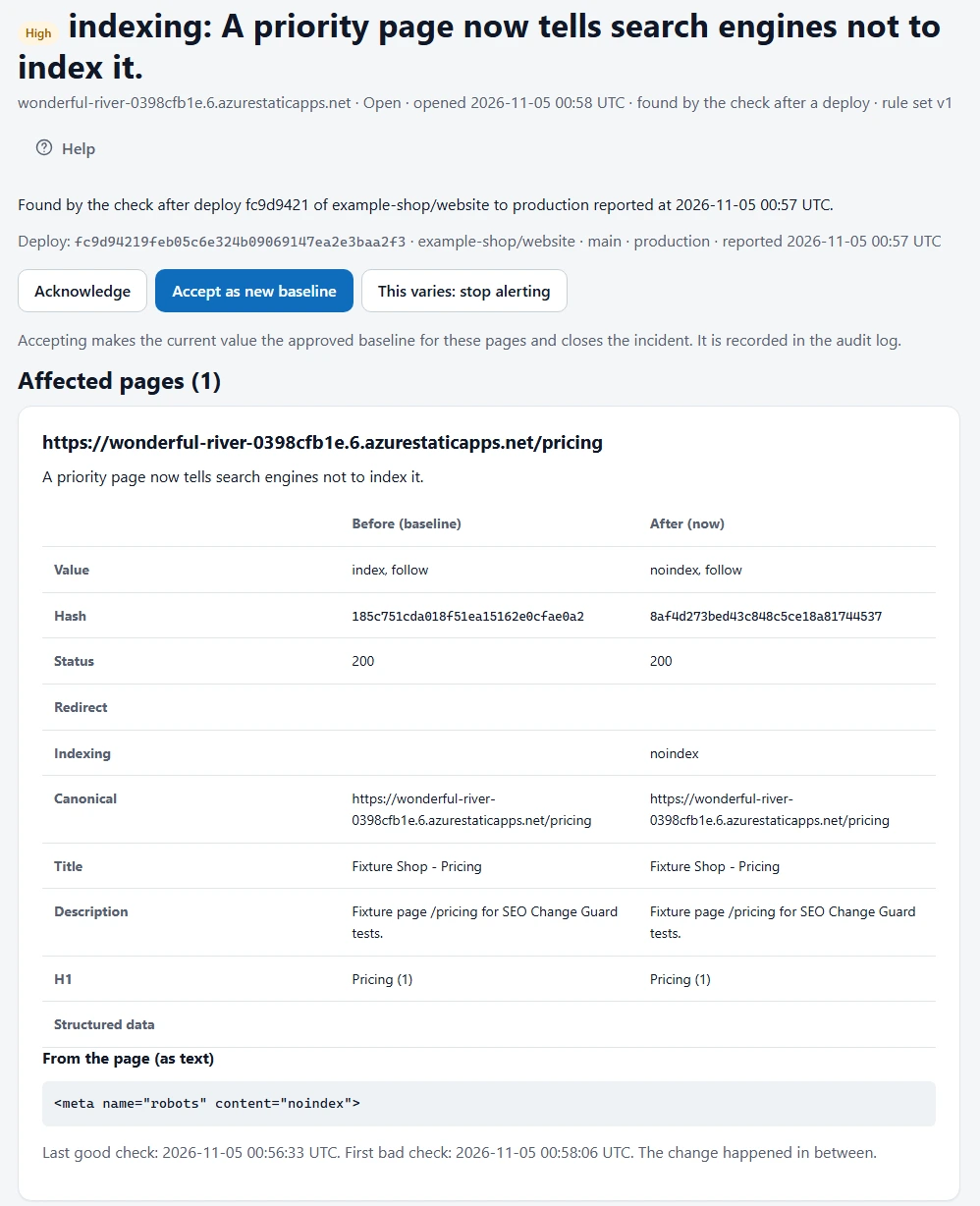
What it checks
- The
<meta name="robots">tag in the HTML your server returns. - The
X-Robots-Tagresponse header.
A new noindex is Critical on a page you marked critical and High on any other priority page. A new nofollow is Medium.
Only what you didn’t approve
You approve a baseline when you add your site. If a thank-you page is meant to carry noindex, mark it as an exception once and it won’t alert again. An alert means a page differs from what you approved.
What the alert shows
- The value before and after, with the time of each check.
- Every page affected, grouped into one incident rather than one email per page.
- The deploy that caused it, or the window in which the change appeared if there was no deploy event.
When the tag is gone, you get a recovery notice and the incident closes.
Check your next release
The Free plan covers 1 site and 10 priority pages, with no card needed, and includes the deploy hook.
Frequently asked questions
Does it run JavaScript?
No. It reads the HTML your server returns, so it won’t see a noindex that a script adds later in the browser.
How soon will I hear about it?
Within minutes of a deploy when your workflow calls the deploy hook. Otherwise on your plan’s schedule: hourly for critical pages on paid plans, daily on Free.