

Canonical monitoring
Know when a canonical tag changes on a page that matters
A plugin update or a template change can remove canonical tags, or point them at the wrong host, across many pages at once. SEO Change Guard compares each check with the baseline you approved and tells you what changed.

The problem
A canonical tag is invisible on the page. When one points at a staging host or an old domain, you are asking search engines to credit a different address, and nothing on the page looks wrong.
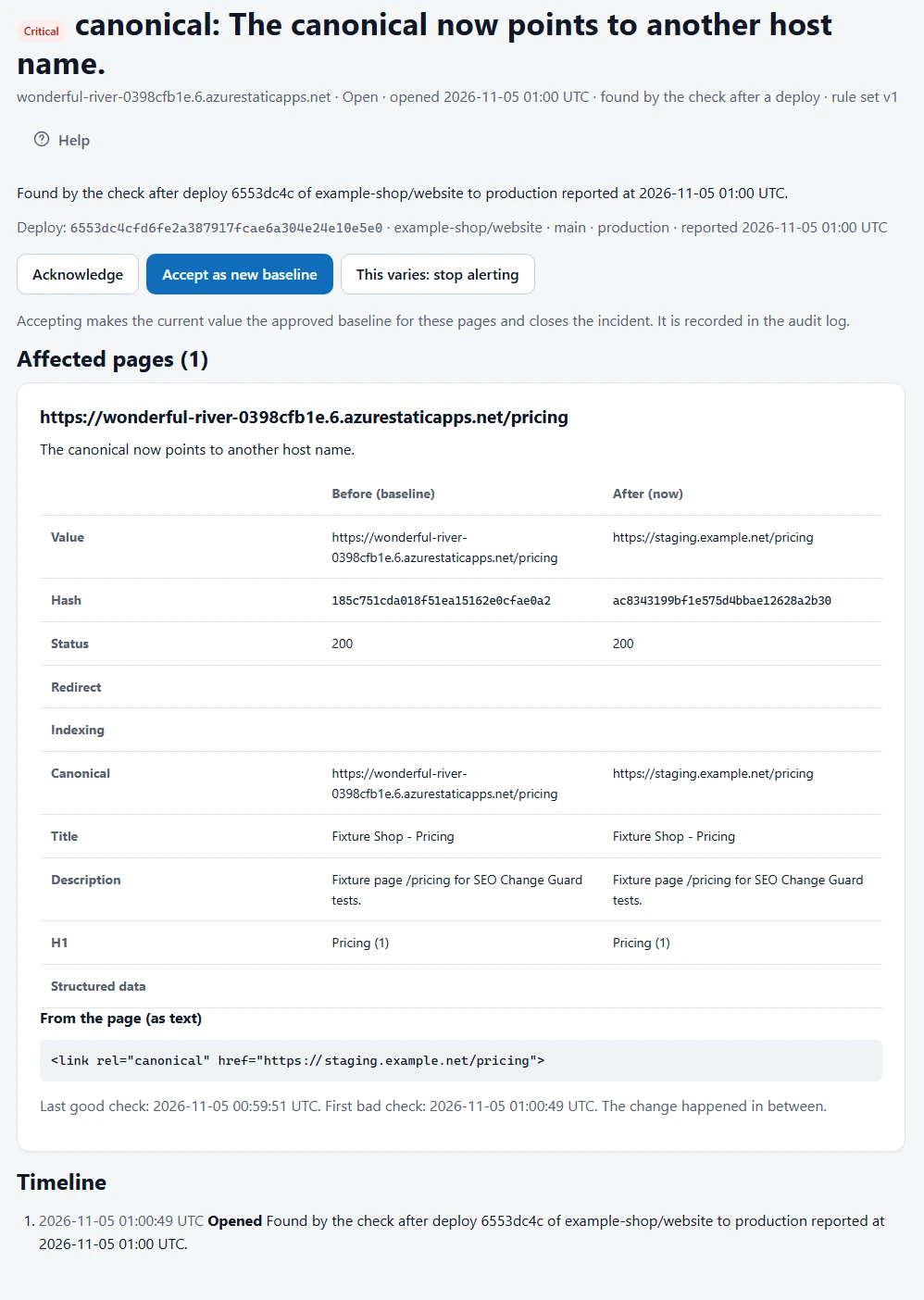
How serious each change is
| Change | On a critical page | On another priority page |
|---|---|---|
| Points to another host | Critical | Critical |
| Points to a different URL | High | High |
| Removed | High | Medium |
When the same problem hits at least 10% of your priority pages, it is raised to at least High, because it probably came from one change.
One incident, not forty emails
Changes from the same deploy or check run, with the same control and severity, become one incident that lists every affected page, with the value before and after for each.
When the change is intentional
Accept the new value as your baseline from the incident page, and the incident closes. If you fix the tag instead, you get a recovery notice.
Watch your canonicals
The Free plan covers 1 site and 10 priority pages, with no card needed.
Frequently asked questions
Does it crawl my whole site?
No. It checks the priority pages you choose, up to your plan’s limit, and leaves out everything else.
Does it check canonicals added by JavaScript?
No. It reads the HTML your server returns. If your site builds its pages in the browser, setup tells you that results may be incomplete.